Most "serverless agent" tutorials quietly avoid the same problem: state. The agent is a stateless function, so conversation history lives in DynamoDB, the working files live in S3, and every turn rehydrates all of it before the model can think. It works, but you are rebuilding the agent's world from scratch on every message, and you are writing a lot of plumbing that has nothing to do with the agent.
Lambda MicroVMs, which went GA in June 2026, offer a different deal. A MicroVM is a Firecracker virtual machine you launch from a snapshot, address directly over HTTPS, and, crucially, can suspend and resume. Suspend it and Firecracker snapshots the memory and disk; resume it and the same process picks up exactly where it left off. While it sleeps you pay only for snapshot storage. No compute, no idle cost.
That changes what you can build. Instead of an agent that reconstitutes itself every turn, you can have an agent that simply is, that keeps its conversation and its files in memory, dozes off when you stop talking to it, and wakes with everything intact when you come back. So I built one, deployed it, measured it, and then did the arithmetic on what it costs at scale. The full code is on GitHub: subeshb1/agent-that-sleeps.
A heads-up before you follow along: MicroVMs launched in five regions and Sydney is not one of them. Everything here runs in us-east-1.
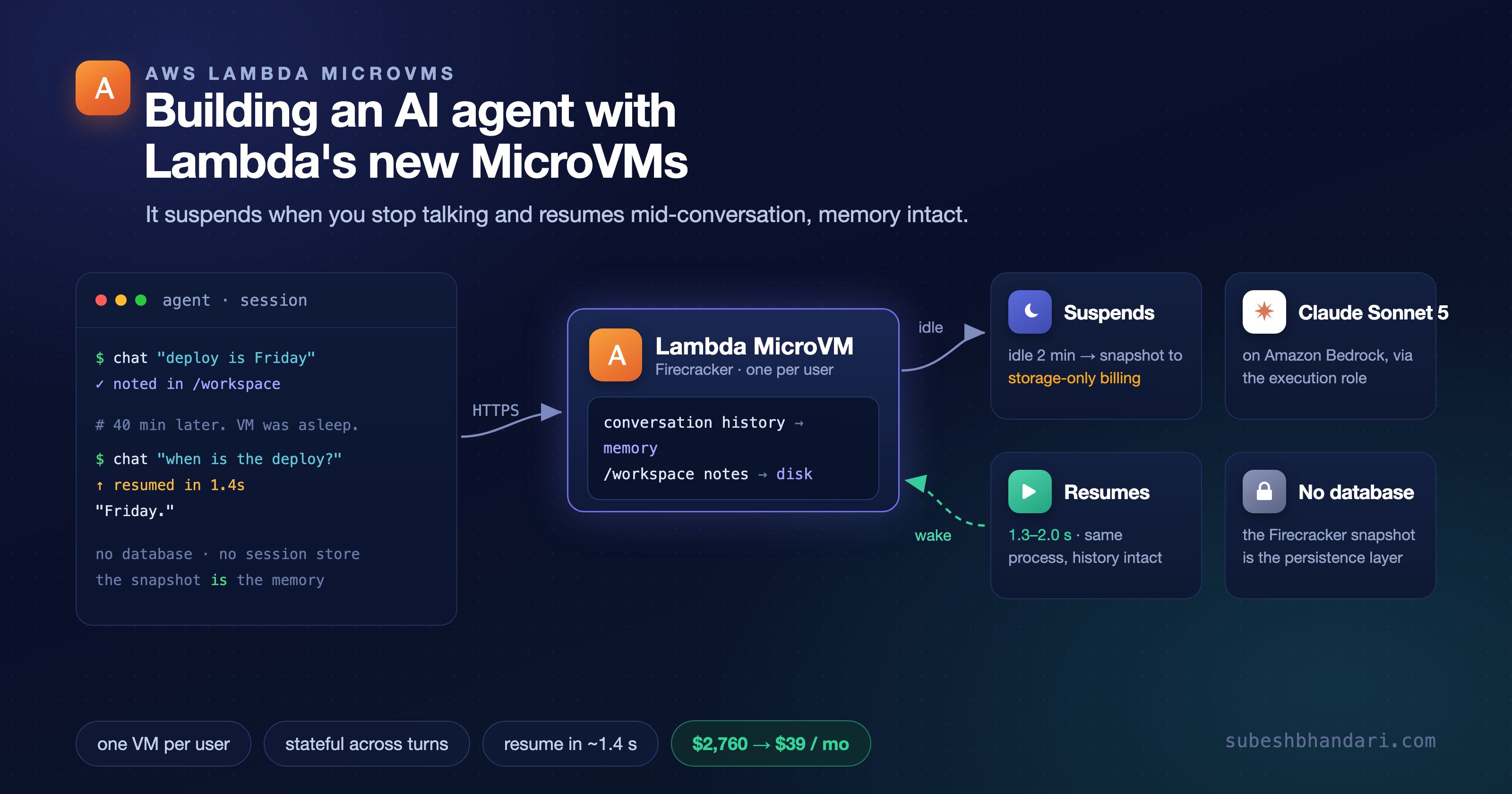
The idea in one picture
The agent is an ordinary HTTP server with a Strands agent inside it. Its state is not in a database; it is the live process. Lambda handles the sleeping and waking.
The application is just a process
The whole agent is one file. It is a Strands agent with two tools (write a note, read the notes) wrapped in Python's standard-library HTTP server. Conversation history lives in the agent object in memory; notes live on the VM's disk at /workspace. Nothing is serialized anywhere else.
pythonfrom strands import Agent, tool from strands.models.bedrock import BedrockModel @tool def write_note(filename: str, content: str) -> str: """Write a note to the persistent /workspace directory.""" path = WORKSPACE / os.path.basename(filename) path.write_text(content) return f"wrote {path} ({len(content)} bytes)" @tool def read_notes() -> dict: """Read every note in the /workspace directory.""" return {p.name: p.read_text() for p in sorted(WORKSPACE.glob("*.md"))}
The server exposes /chat (talk to the agent) and /health (report what the process currently knows), plus the MicroVM lifecycle hooks, which I will come back to because they have a sharp edge.
One line matters more than it looks. Do not construct the Bedrock client at module level. The MicroVM image is built by running your container and taking a snapshot of the result, and module-level code runs during that build. A boto3 client created then captures build-time credentials, which do not include your runtime execution role. Create it lazily, on first use, and it picks up the execution role from the instance and refreshes it across suspends:
pythonagent: Agent | None = None def get_agent() -> Agent: global agent if agent is None: # first call after launch, never at build time agent = Agent( model=BedrockModel(model_id="us.anthropic.claude-sonnet-5"), system_prompt=SYSTEM_PROMPT, tools=[write_note, read_notes], ) return agent
I learned this the direct way: the first build returned 502 on every /chat while /health worked fine, because the frozen client had no usable credentials. It is the kind of bug the snapshot model invents, and it is worth internalizing as a rule: in a MicroVM, nothing that holds credentials or a network connection should be created at import time.
Building the image
An image is a Dockerfile plus your code, built once and snapshotted. The Dockerfile is unremarkable:
dockerfileFROM public.ecr.aws/amazonlinux/amazonlinux:2023 RUN dnf install -y python3.12 python3.12-pip && dnf clean all WORKDIR /app COPY agent_server.py . RUN python3.12 -m pip install --no-cache-dir "strands-agents>=1.15.0" EXPOSE 8080 CMD ["python3.12", "agent_server.py"]
You zip that with your code, upload to S3, and call create-microvm-image. Lambda runs the Dockerfile, starts your app, waits for it to signal readiness, and snapshots the running state. Two roles are involved and it is worth keeping them straight: a build role Lambda assumes to fetch your zip and write build logs, and an execution role the running MicroVM uses to reach other services. For this agent the execution role needs exactly one thing, Bedrock:
json{ "Effect": "Allow", "Action": ["bedrock:InvokeModel", "bedrock:InvokeModelWithResponseStream"], "Resource": "*" }
The build takes a few minutes; I measured 147 to 209 seconds across rebuilds. When it finishes, the image is snapshotted and every MicroVM you launch from it skips all of that. First real friction point: create-microvm-image takes a plain --name, but get-microvm-image insists on the full ARN. Mixing them up gives you an "Invalid ARN format" error on a value the create command accepted a second earlier.
The lifecycle hooks are off, and turning them on is a two-step surprise
MicroVMs can call your application at four moments: /run when a VM starts, /resume when it wakes, /suspend before it sleeps, /terminate before it dies. The docs publish a clean OpenAPI spec for these hooks, which strongly implies they just work. They do not. Hooks are disabled by default. If you do nothing, Lambda never calls them; it just starts forwarding traffic once your server is listening.
You opt in when you create the image, naming the port your app listens on:
bashaws lambda-microvms create-microvm-image \ --name agent-that-sleeps \ --code-artifact uri=s3://$BUCKET/app.zip \ --base-image-arn arn:aws:lambda:us-east-1:aws:microvm-image:al2023-1 \ --build-role-arn arn:aws:iam::$ACCOUNT:role/agent-that-sleeps-build \ --hooks '{ "port": 8080, "microvmImageHooks": { "ready": "ENABLED", "readyTimeoutInSeconds": 60 }, "microvmHooks": { "run": "ENABLED", "runTimeoutInSeconds": 30, "resume": "ENABLED", "suspend": "ENABLED" } }'
The second surprise is inside that block. Enable any runtime hook and the build rejects you until you also enable the /ready image hook:
The ready (/ready) MicroVM image hook must be enabled when any MicroVM lifecycle hook (run, resume, suspend, or terminate) is enabled.
That is actually reasonable once you see it. /ready is how Lambda knows your app has finished initializing, so it snapshots a serving process rather than a half-booted one. But nothing in the getting-started flow mentions it, and the error only appears at build time. The /run hook earns its keep for a specific reason: module-level state is frozen into the snapshot, so anything that must be unique per VM (a run ID, a random seed) has to be regenerated when the VM actually starts, and /run is where you do it.
Launching and talking to it
With hooks enabled, launch reports the lifecycle events firing in order. A fresh VM reaches RUNNING in a few seconds, and its first /health shows the hooks that ran:
json{ "run_id": "334ac9bd", "pid": 1, "process_uptime_s": 65.5, "messages_in_memory": 4, "notes_on_disk": ["client-aws-agent-build.md"], "credential_source": "iam-role", "lifecycle_events": [ { "hook": "ready" }, { "hook": "run" } ] }
Every request needs a per-VM auth token (there is no unauthenticated access), passed in an X-aws-proxy-auth header. I gave the agent a fact to hold onto:
> Hi, I'm Subesh. I'm scoping a client's AWS agent build. The budget cap is 12,000 USD and the deadline is next Friday. Note both down. Saved under client-aws-agent-build.md. Let me know if you want to pin down the exact date or add scope details.
At this point the agent knows two things: a note on disk, and a four-message conversation in memory. Now the interesting part.
Putting it to sleep, then waking it up
Suspend is almost instant. An explicit suspend-microvm moved the VM to SUSPENDED in 0.3 seconds, and from that moment it costs nothing but snapshot storage. Then I sent it a question, cold, to a suspended VM:
> Quick check without looking anything up first: what's my deadline and budget cap? state before request: SUSPENDED auto-resume + reply in 3.86s (1.63s of it was the agent) Deadline: next Friday. Budget cap: $12,000 USD. (run_id=334ac9bd, messages_in_memory=6)
It answered from memory. Not from the note on disk, from the conversation history that was in RAM when the VM went to sleep. Lambda held my request, restored the snapshot, ran the /resume hook, and delivered the message to the same process, which still had the whole conversation in memory. The run_id is unchanged and the process ID is still 1, so this is provably the same process, not a cold restart that reloaded state from somewhere.
I ran the wake path enough times to trust the numbers:
| Operation | Range |
|---|---|
| Suspend (to SUSPENDED) | ~0.3 s |
| Explicit resume (API call to RUNNING) | 1.5 to 2.2 s |
| Auto-resume on traffic (request to first byte) | 1.3 to 2.0 s |
AWS describes resume as "near-instant" and never puts a number on it. For a small agent VM, near-instant means a second or two of added latency on the first message after it wakes, and nothing on the messages after that. For a chat agent, where a person is reading the previous reply anyway, that is invisible.
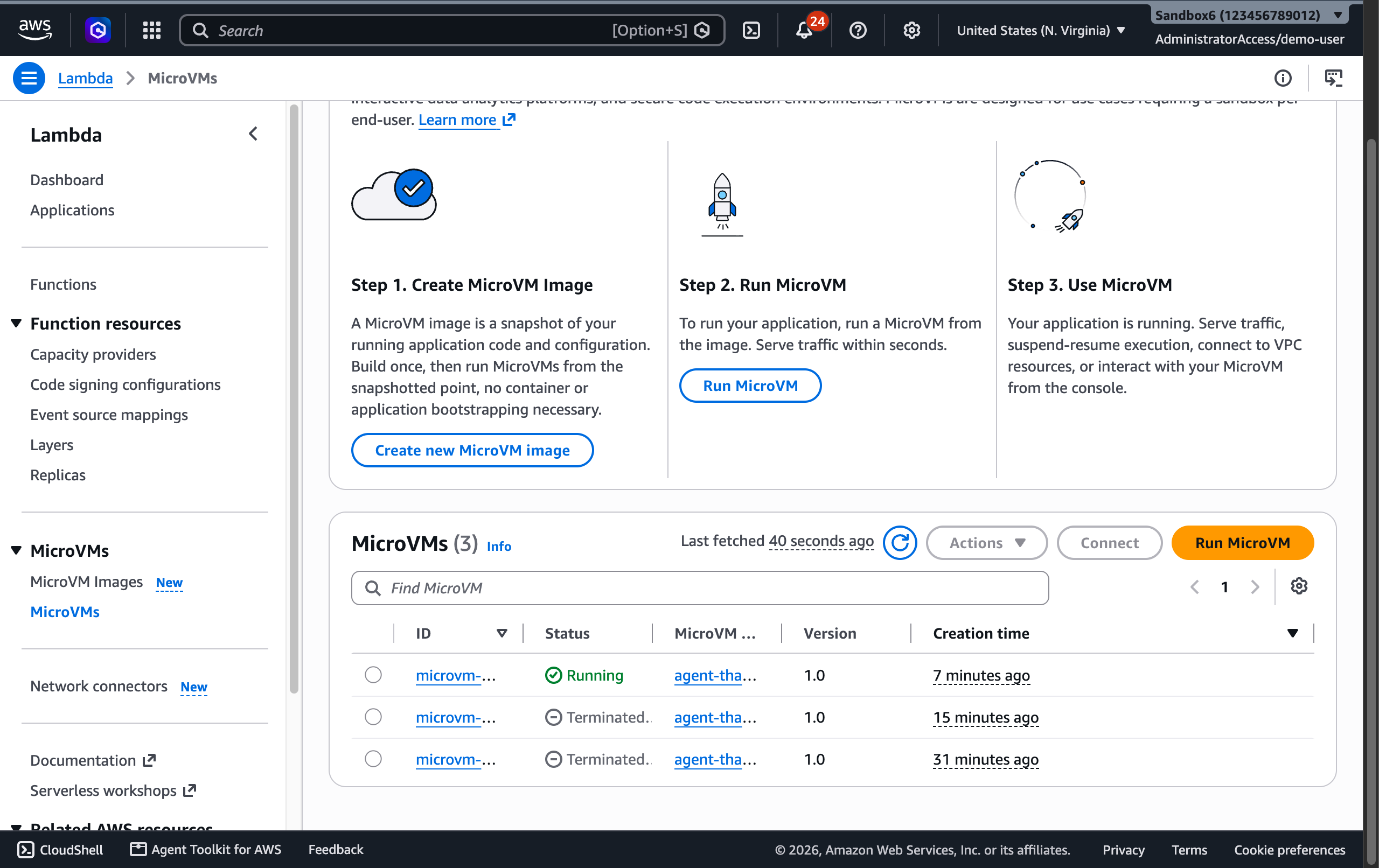
Here it is running in the console, one live VM launched from the image, with the suspend-resume model spelled out in the "how it works" panel:
What it costs, and why sleeping is the whole point
I ran the entire build, all the local testing, roughly a dozen suspend/resume cycles, and every model call, then added it up from the us-east-1 rate card. Baseline for this VM is 1 vCPU and 2 GB.
| Line item | Cost |
|---|---|
| Compute (~12 min actually running) | $0.025 |
| Bedrock tokens (Claude Sonnet 5) | $0.022 |
| Snapshot read/write (~12 cycles) | $0.019 |
| Image storage (7-day minimum retention) | $0.037 |
| Total | ~$0.10 |
Ten cents, and notice that no single line dominates. The image's seven-day minimum retention is quietly the biggest item, which is a useful thing to know before you build fifty throwaway images.
But the small number is not the point. The point is what suspend does to the economics of a persistent per-user agent, the thing this architecture is actually for. A running VM at this size costs about $0.126 an hour. Play that out for thirty users, each with their own always-on agent:
| Model | Per user / month | 30 users / month |
|---|---|---|
| Always-on (VM runs 24/7) | ~$92 | ~$2,760 |
| Suspend between turns (~10 active hrs) | ~$1.30 | ~$39 |
That is a 99% reduction, and it is the entire reason this feature exists. An always-on fleet of per-user agents is priced like a fleet of small EC2 instances, because that is what it is. The moment you let them sleep between conversations, in a product people touch for a few minutes a day, the compute bill nearly vanishes and you are left paying cents for snapshot storage. Suspend is not a nice-to-have here; it is what makes per-user agents affordable at all.
Where this fits, and where it doesn't
This is not a replacement for Bedrock AgentCore Runtime, which I used in the last post. AgentCore hosts the agent for you: sessions, identity, memory, the whole managed platform. A MicroVM hands you a raw VM with a sleep button and lets you build the rest. If you want a managed agent, reach for AgentCore. If you want a stateful, long-lived, per-user workspace and you are willing to own the orchestration, that is exactly what MicroVMs are good at, and the two compose well: AgentCore can run the agent loop while a MicroVM is the sandbox it executes code in.
The honest limitations: it is in five regions and not yet Sydney; a MicroVM's total lifetime caps at eight hours, so a truly permanent agent needs to hand off or relaunch past that; and it is ARM64 only. None of those are dealbreakers for the use case, but all three are things you find out the hard way if nobody tells you first.
The pattern underneath is the interesting part, and it is bigger than one agent. For years "serverless" and "stateful" were opposites; you got one or the other. A snapshot you can suspend and resume collapses that distinction. The agent keeps its memory like a long-running server and costs almost nothing while idle like a function. That is a genuinely new shape, and stateful agents are the most natural thing to build with it.
The complete project, including the driver script that launches, chats, sleeps, and wakes the agent, is at github.com/subeshb1/agent-that-sleeps. If you are building something on this and want a hand, get in touch.
Subesh Bhandari
Engineer · Writer · Builder
Join the conversation
Comments are powered by GitHub.